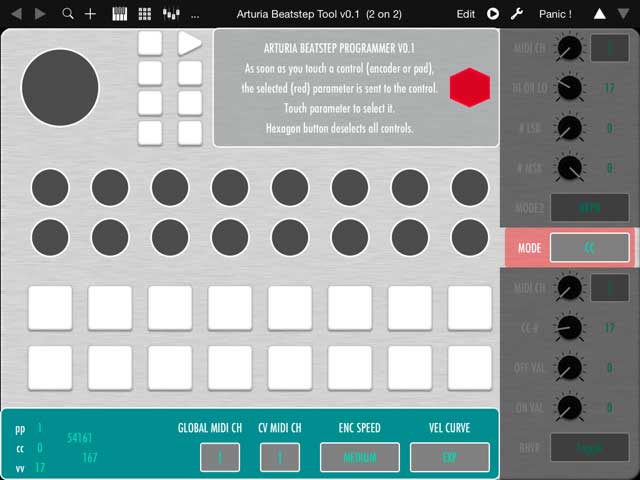
Blessed be MIDI, again, for making us independent.
Frankfurt am Main-based untergeekDE decided he didn’t want to go to a Mac or Windows PC just to edit settings on his Arturia BeatStep. MIDI (System Exclusive messages)m to the rescue. Actually, even calling this a ‘hack’ isn’t really fair: this is exactly how this is supposed to work. Edit the settings you want on the hardware using anything you like, in this case taking advantage of TB MIDI Stuff. That handy app is practically reason enough to get an iPad, even a compatible used one. In the process, untergeek even changed things to work more in the way he desired.
It’s old news – the project is from last fall – but rather than just send it to Arturia, I thought I’d put it out to everyone for some feedback. Got other hardware you’ve hacked in this way? Also using the iPad for this purpose? Other ideas / tips? I’d love to hear them.
And check it out:
Taming Arturia’s Beatstep: Sysex codes for programming via iPad [blog post]
Arturia Beatstep Tool v0.1 – please help testing [TB MIDI Stuff download for iPad]
Previously:
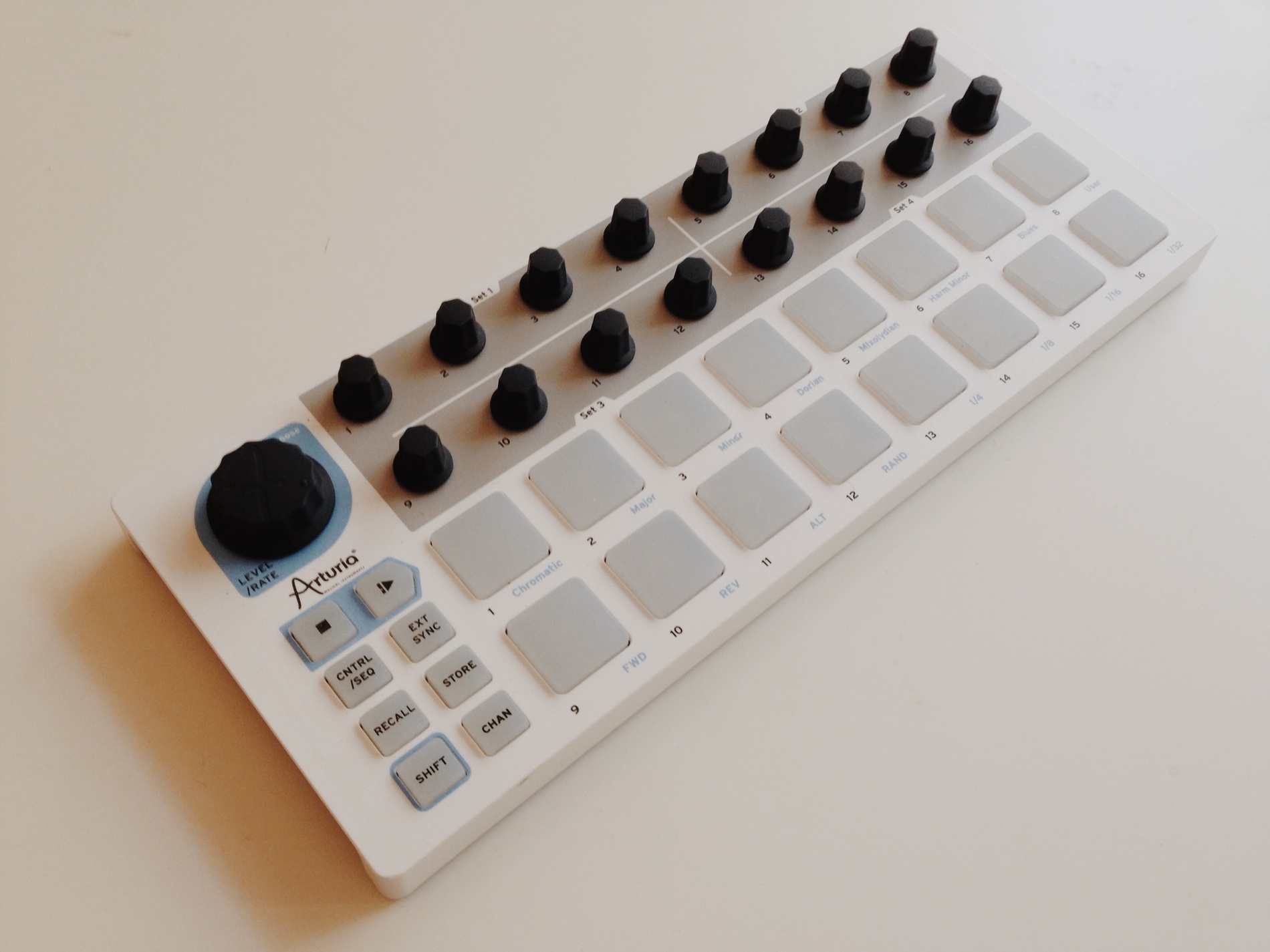
Inside BeatStep: $99 Step Sequencer and Controller Looks Compact, Versatile [Q+A, Videos]
The $100 BeatStep Sequencer and Controller: Everything You Want to Know [Review, Resources]
This also isn’t new, but I wrote a processing app that translates X/Y pad messages from a Korg Kaosillator Pro into actual midi notes and vice-versa (which is functionality that’s not exposed in the hardware). You can check it out at http://www.gravitytoast.com/djmarbins and there’s a demo video too: https://www.youtube.com/watch?v=6FoPmOpvxSw
This also isn’t new, but I wrote a processing app that translates X/Y pad messages from a Korg Kaosillator Pro into actual midi notes and vice-versa (which is functionality that’s not exposed in the hardware). You can check it out at http://www.gravitytoast.com/djmarbins and there’s a demo video too: https://www.youtube.com/watch?v=6FoPmOpvxSw
This also isn’t new, but I wrote a processing app that translates X/Y pad messages from a Korg Kaosillator Pro into actual midi notes and vice-versa (which is functionality that’s not exposed in the hardware). You can check it out at http://www.gravitytoast.com/djmarbins and there’s a demo video too: https://www.youtube.com/watch?v=6FoPmOpvxSw
Thanks for the writeup! To be honest, after completing the alpha I have
all but abandoned the project. TB Midi Stuff forced me to take a few
design decisions that are very workflow-unfriendly, and I guess there
are couple of things that just don’t work right. What I think is
important about the whole thing is the list of MIDI Sysex codes so it is
pretty easy to send a command to the Beatstep on the fly, even if it is
a tedious process.
Thanks for the writeup! To be honest, after completing the alpha I have
all but abandoned the project. TB Midi Stuff forced me to take a few
design decisions that are very workflow-unfriendly, and I guess there
are couple of things that just don’t work right. What I think is
important about the whole thing is the list of MIDI Sysex codes so it is
pretty easy to send a command to the Beatstep on the fly, even if it is
a tedious process.
Thanks for the writeup! To be honest, after completing the alpha I have
all but abandoned the project. TB Midi Stuff forced me to take a few
design decisions that are very workflow-unfriendly, and I guess there
are couple of things that just don’t work right. What I think is
important about the whole thing is the list of MIDI Sysex codes so it is
pretty easy to send a command to the Beatstep on the fly, even if it is
a tedious process.
Ah, I forgot: IMHO, the iPad is absolutely perfect to replace or enhance
old synthesizer technology. If you happen to own a classic Analog
Roland synth like the JX3P, and do not own the coveted PG-300
programmer, an iPad 1 will do the job even better – there’s even an app
for that. The first serious effort I ever made with TBMS was a
controller panel for my Oberheim Matrix-1000, and it made me fall in
love again with the old machine. Now if only somebody told me the proper
MIDI strings to remote-control the darn IMPC Pro app…
Ah, I forgot: IMHO, the iPad is absolutely perfect to replace or enhance
old synthesizer technology. If you happen to own a classic Analog
Roland synth like the JX3P, and do not own the coveted PG-300
programmer, an iPad 1 will do the job even better – there’s even an app
for that. The first serious effort I ever made with TBMS was a
controller panel for my Oberheim Matrix-1000, and it made me fall in
love again with the old machine. Now if only somebody told me the proper
MIDI strings to remote-control the darn IMPC Pro app…
Ah, I forgot: IMHO, the iPad is absolutely perfect to replace or enhance
old synthesizer technology. If you happen to own a classic Analog
Roland synth like the JX3P, and do not own the coveted PG-300
programmer, an iPad 1 will do the job even better – there’s even an app
for that. The first serious effort I ever made with TBMS was a
controller panel for my Oberheim Matrix-1000, and it made me fall in
love again with the old machine. Now if only somebody told me the proper
MIDI strings to remote-control the darn IMPC Pro app…
.. what about supporting the beatstep pro ?
Yeah, Arturia. What about an iPad app supporting the BeatStep Pro? 😉
.. what about supporting the beatstep pro ?
Yeah, Arturia. What about an iPad app supporting the BeatStep Pro? 😉
.. what about supporting the beatstep pro ?
Yeah, Arturia. What about an iPad app supporting the BeatStep Pro? 😉