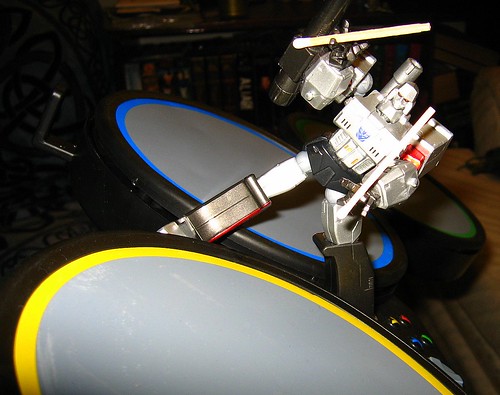
That didn’t take long. Just days after the games’ release, someone is already using controllers for the Harmonix game Rock Band with their computer software. Cyrus Thomas-Walker writes us:
Looks like someone thought outside the box with their Rock Band drum set. Hacking the little kit could prove to be a cheap way to set up a little midi drum studio if someone happens to already own the game and interested in hooking the hardware up to some software.
Xbox 360 Rock Band drums on Windows [dxprog blog]
dxprog has also posted custom software developed in .NET/XNA for Windows. Also for Windows: MidiJoys, joystick-to-MIDI conversion software, apparently works, as well.
What about Mac? It seems the PS3 controller works out of the box with the Mac — presumably standards-compliant hardware (which would also mean you could have luck with Linux). No confirmed reports, though.
The controller itself is pretty simple: think single piezo triggers in each pad, though having the mount and the pedal is awfully convenient and, compared to other controllers, affordable.
In case you’re wondering why you’d want to do this in the first place, it comes down to either a) you’ve got the hardware and want it to do double duty as a performance kit, or b) you’re interested in playing indie games on your PC, not just the official Rock Band game. Or, c) you want Rock Band and now you have additional rationalization. The PlayStation 2 game is on its way out; I’d guess those controllers would be even easier to work with on Mac and PC — and you can get your Rock Band on for a lower price.
If anyone can make this work on the Mac, it’s the readers of this site. So if anyone’s got it down, let us know!
Updated:
We’ve got our answer: PS3 + Mac = success. Xbox 360 + Mac = could work, though not fully tested yet:
How to Use Rock Band Controllers (And More) with GarageBand, Mac
FYI: How-to use Rock Band drum kit with GarageBand on Mac:
http://billpendry.com/blog/?p=88
[…] Game Day: Use Rock Band Drums as MIDI Controller – Windows, Yes, Mac, Soon? (and I guess we got our answer!) Leopard Watch: Adobe Updates Premiere Pro, […]
i got the rock band kit to work on garage band, but i also have Reason 4.0, and i was wondering if anyone knows how to use it on there?
RockBand kit, and actually any game controller (including dancemate, Rockband drum, game controllers etc…) can ALL be used with any music software that manages regular MIDI devices.
You need a third party "game controller to usb converter" (about 5$ on ebay)and all your game devices will be detected as a midi device.
Then you need a software that will "transform" your USB input into a virtual midi device :
Mac : Steim junxion, or Gamepad companion
Pc :
http://trip.m78.com/livesticks-e.html
http://www.soundtower.com/synth/midijoys.htm
http://www.otk.it/mjoy/
http://vellocet.com/software/VMIDIJoY.html
http://www.hf.uio.no/imv/forskning/forskningspros…
http://www.dioramadesign.net/blog/rejoice-midi-so…
In Reason or Garageband (or just any audio software), go to your audio and/or midi input and output settings and select your controller as an input.
Very cheap, very easy to do, very creative!
Have fun!!
I have written an alternative (free!) program that you might like to use if you have the Xbox 360 Rock Band 2 drum kit. It detects the velocity of hits and works with the optional Mad Katz cymbals.
Sadly, this is for Microsoft Windows only.
There is also a program called Xpadder that can turn the rockband drum signals into keyboard inputs. So if your DAW is setup for keyboard use, this will work great without the complexity of the regular method using midi.