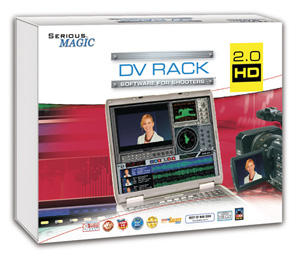
 Running around with a camera and shooting from the hip is great fun, and a great way to get source material for visuals, but if you’re shooting to a script and are paying for gear, studio, talent, crew or police roadblocks then you need to make your shots count. DV Rack has recently hit version 2.0 and allows your laptop to act as a field monitor, vectorscope, contrast and focus checker, disk recorder, shot checker etc.
CreativeCow have reviews of DV Rack and the 2.0/HD updates:
This version of DV Rack has some improvements of which, few are obvious on the surface, but many are intensely important to those of us who have been using the software for a while.
- My favourite–1:1 pixel display mode. If you want to know if you’re in focus, this is the only way to be positive about that. Many laptops have extremely high resolution displays, but few can use the fullscreen display mode and show you all the pixels without scaling.
- Of course, HVX 200 support. (HD version only) DVCProHD/50 users can finally see what all the fuss has been about in DV and HDV land. This includes support for pulldown removal of 24p(a) clips AND a full res 1280x720p monitor window.
- Ability to flip the monitor display horizontally or vertically or both. Users of a Red Rock Micro prime adapter and similar systems will be happy about this
- DV timecode support is now included so your backup tapes and your DV Rack clips will maintain the same TC.
Recording modes–some very interesting features here, and a few I predict I will be using rather quickly:
- Motion activated recording
- Stop-Motion recording
- Time-Lapse recording
- Pause recording (pause recording and resume without starting a new AVI file)
It’s relatively expensive at US$495 for SD version, $795 for HD, so for the club going visualist-on-the-town the money may be better spent elsewhere. However, if your projects have corporate backing the expense is well justifiable, and DV Rack should quickly pay for itself in saved post-production time.
DV Rack’s creator Serious Magic was acquired by Adobe last week. I’d say we’ll be more likely to see Ultra 2 technology appearing in Premiere/After Effects before they get DV Rack style direct to disk capturing, but it should be interesting to see what follows.
Finally, so Mac users don’t feel completely left out, ScopeBox is currently under development for OSX (Universal).
Yep, I'd like to see DV Rack integrated directly with Premiere Pro. Aside from saving us some cash, the integration itself is a no-brainer, because it'd make the shooting workflow part of the Premiere workflow. And it'd give Premiere a much-needed boost, particularly in the face of — what's that thing called? Final something? (Final Destination Pro?)
Adobe, you listening? 🙂
[…] Sounds great! I’m completely sick of buying, labelling and especially rewinding tapes – it feels so ridiculous – and while the computer based capture options are impressive, the ability to just grab your camera and run will mean you get more video over time. […]
[…] Now, about a Mac release of DV Rack to complete the picture. (Hey, at worst you can boot into Windows on Boot Camp.) (Jaymis: Your wish is their command: Previously mentioned ScopeBox was released recently and is the subject of an extensive review and comparison with DV Rack. Of course, Adobe have purchased Serious Magic, so the future may indeed hold Production Suite bundled tethered shooting tools.) […]
You write about DV Rack: "DV timecode support is now included so your backup tapes and your DV Rack clips will maintain the same TC. "
Have you actually tested that? From what I've heard from people who own the software, not even is the timecode NOT accurate, it's not even consistent in it's offset and actually drifts during recording.
David: I didn't write that, it's a quote from the CreativeCow review.
[…] Ultra. Chroma-keying. CDMo advice: Get your least favorite friends to dress up in that rabbit costume right now. (OnLocation and Ultra are using technology from Adobe’s aquisition of Serious Magic. Jaymis.) […]
[…] Sounds great! I’m completely sick of buying, labelling and especially rewinding tapes – it feels so ridiculous – and while the computer based capture options are impressive, the ability to just grab your camera and run will mean you get more video over time. […]
[…] been a while since we looked at tethered video capturing options. The first version of ScopeBox didn’t […]