Quartz Composer is a fantastic tool for interactive visuals, and it’s free with Mac OS X (you’ll need to install the developer tools). With MIDI and audio inputs, you can hook custom visuals up to your musical performance. But the program has some limitations: mapping MIDI is generally slow and arduous because of limited MIDI input tools, and there’s no easy way to line up a set of visuals and move through them over the course of a performance.
That’s where plasq’s Rax 2.0 comes in. As we saw earlier this week, Rax lets you build set lists for performance, with different software instruments and effects loaded for each song. Here’s the cool bit: Rax also lets you load Quartz Composer visuals. Since you can load different visuals for each song, you can use Rax to easily switch between QC compositions. (In fact, if visuals are what you really care about, Rax could even be thought of as a MIDI and audio-savvy VJ hosting application.)
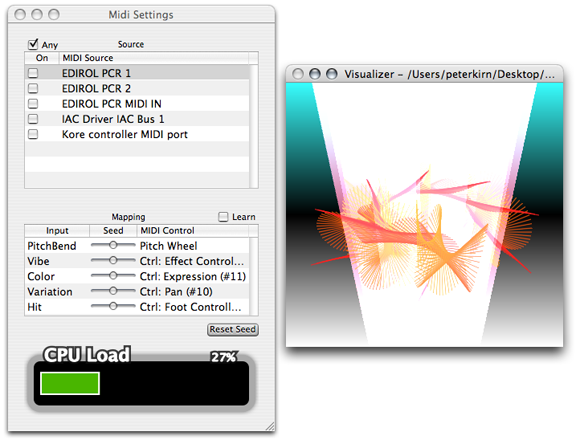
On top of making it easy to switch between visualizations, Rax is set up to make MIDI assignments much easier. Rax’s custom QC template allows compositions to:
Receive Midi notes (in a ‘friendly’ format) from multiple devices
Receive ‘Learnable’ CCs messages formatted into a Rax Quartz Composition standard
Receive audio levels directly from the Rax output
Receive CPU usage information (allowing your composition to scale its usage accordingly, if required)
Change your Quartz composition with each song in your set.
(Source: Rax/Quartz Composer “SDK”)
And the beauty of all this is, you can make your visuals look like whatever you want.
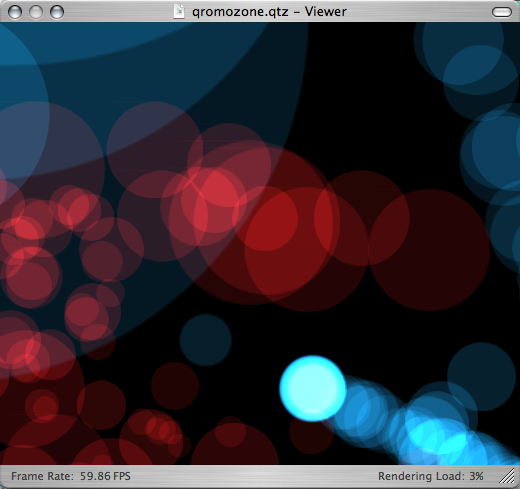
Here’s all you have to do: go grab the templates, instructions, and tester application from plasq, plus a copy of Rax, and you’re good to go. The template takes care of what would otherwise be some messy MIDI and audio routing; the tester application lets you see the results, try out MIDI and audio, and test CPU load.
If you make any interesting visuals, send them our way!
This looks very cool…I'll have to try this out tonight.
[…] Translation: you jam, eye candy runs in the background. On the Mac, you can even easily assemble whole sets of songs using Rax with Quartz Composer visualizations, as seen here previously. […]
This looks cool
[…] Quartz Composer + Free Tools, Rax: Makes MIDI assignments easier and allows you to assemble QC patches into a performance, using a free developer tool “SDK” and the $50 music utility Rax. Particularly handy if you’re doing music performance live and want visual accompaniment; I helped them out with the QC implementation. [Article from my site Create Digital Music.] […]
Going to try this out thanks
thanx! looks quite interesting! but the link to the templates seems to be broken.